Studiometry Touch 2.0
For iPhone, iPad, and iPod Touch.



If you'll be using traditional Studiometry licenses, Studiometry Touch costs $39.95/device/year. See the Studiometry Touch FAQ for more information.
Ready for Studiometry Cloud.
It's now easier than ever to sync Studiometry between your iOS devices and your desktop machines. Instantly sync your data across all of your computers and devices using Studiometry Cloud. No servers or setup required!
LEARN MORE
Time, Expenses, Invoices & More.
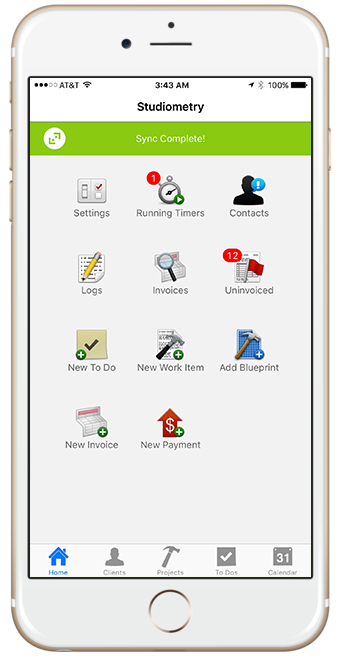
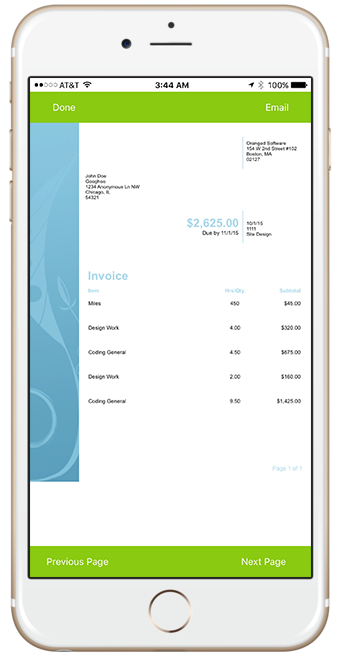
Studiometry Touch takes the best features of Studiometry and puts them in the palm of your hand. Track hours with running timers, enter expenses and fixed-rate work, even create and send invoices--all from your mobile device. It's total functionality. No desk required.
-
Home Screen
-
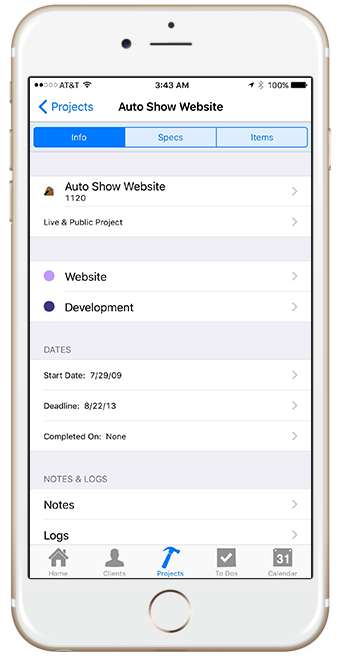
All Client and Project Information
-
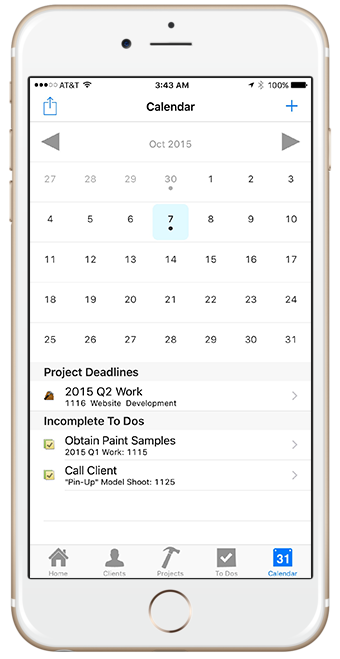
Mobile Calendar
-
Custom Invoice Templates
Your Platforms, Your People
Native Cross-Platform Apps
Our native apps for Mac, Windows, iPhone, and iPad are designed with your device in mind for the best user experience possible. You can sync business information securely across any combination of computers and devices.
Our native apps for Mac, Windows, iPhone, and iPad are designed with your device in mind for the best user experience possible. You can sync business information securely across any combination of computers and devices.
Great for Groups or Freelancers
Studiometry Touch supports multiple employees as well as any per-employee permissions previously set in Studiometry. Employees can view one another's calendars, delegate tasks and projects, even see what their colleagues are currently working on.
Studiometry Touch supports multiple employees as well as any per-employee permissions previously set in Studiometry. Employees can view one another's calendars, delegate tasks and projects, even see what their colleagues are currently working on.